Instructions get lost in chat
A request gets buried among photos and voice notes. A week later nobody can find what was agreed.
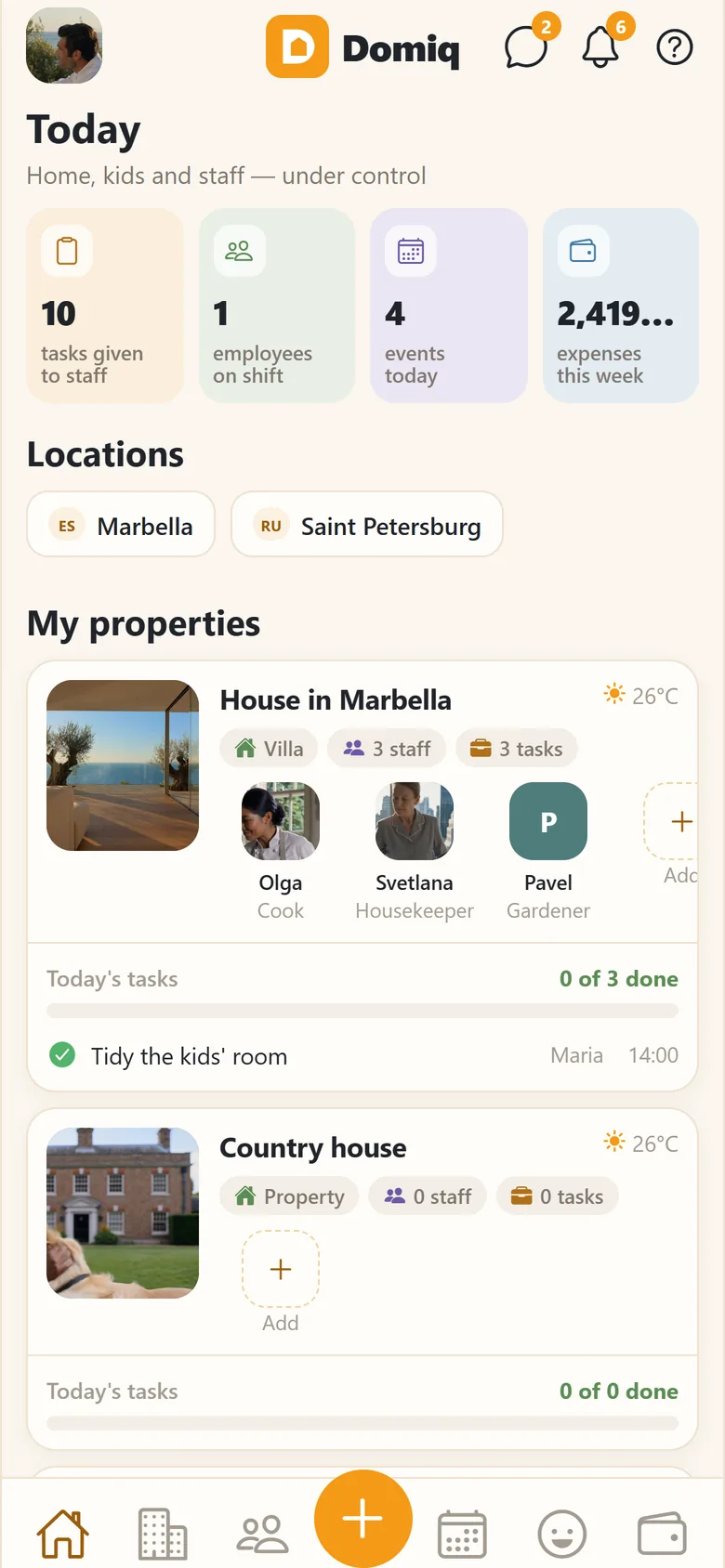
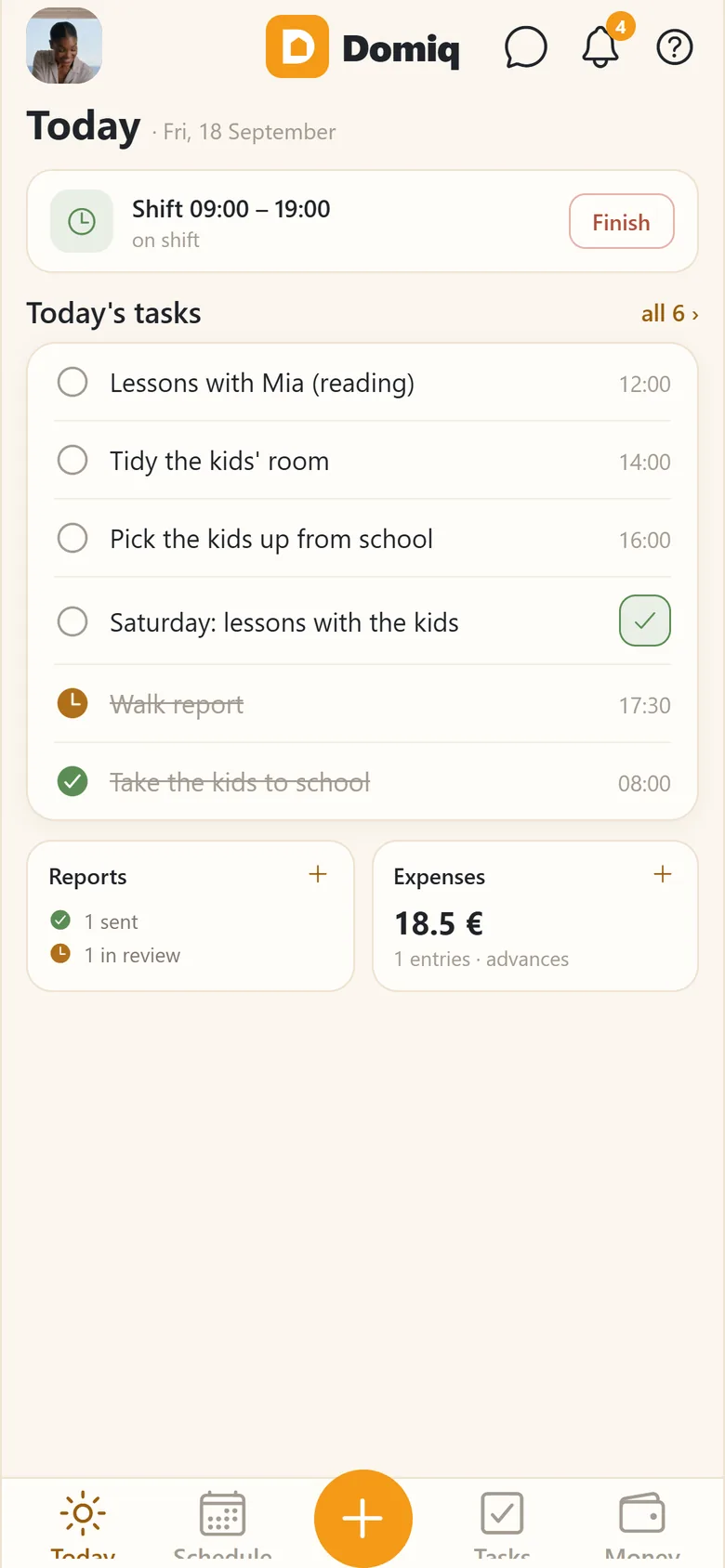
Domiq is an app for families who employ household staff: a nanny, a housekeeper, a driver, a cook, a gardener, a house manager. Separate interfaces for employers and staff. Each person chooses their own language.
Coming soon to the App Store and Google Play
Join the waiting list Launching 25 October · 1 month free for the waiting list
Point your phone camera at the code for your store


Personal invite on launch day and 1 month free instead of 14 days.
We’ve sent you an email — tap “Confirm” in it. On launch day you’ll get a personal invite and 1 month free.
Nothing dramatic happens. It is just that nothing is gathered in one place, and every month starts from scratch.
A request gets buried among photos and voice notes. A week later nobody can find what was agreed.
Receipts in a pocket, cash advances with no written record, and at the end of the month an attempt to remember.
The house rules live in someone's head, and every new person learns them from scratch.
With a date, a time and a place. A photo or a spoken note. The employee marks the task as complete and adds a photo of the completed task.
Shifts a week ahead, holidays, days off, notes on late arrivals. One shared calendar for the house.
Expenses with receipts, cash advances, salaries and rates. Amounts in different currencies are converted to one for the summary, but each entry keeps its original currency.
Keep information about homes, vehicles, pets and children in one place. Add care instructions where needed, and maintenance schedules for homes and vehicles.
An invitation by link, a trial period, terms of work, reviews at the end, letters of reference, a work history in this household.
Chats by place and by subject, announcements for everyone at once.
Draft a task from a short message or voice note, draft service routines and get answers about the app. Sharing data with an external AI model requires separate consent, and you can turn it off with a single switch; without that consent, the draft is created on the phone itself.
Russian, English, Spanish. The owner can work in Russian while an employee works in Spanish — in the same household.

People change, requirements stay. A new employee knows from day one what, when and how.

The employee gets everything they need. You see the outcome: the completed task, a report, a photo or a receipt. Clear instructions, fewer follow-up messages and a clear view of what’s been done.

Not because you reminded someone again. Schedules, shifts, tasks, the calendar — everything is organised. And you simply see that everything is going to plan.

Which expenses have been confirmed, which tasks are done and how each employee is getting on — without having to remember everything or add it all up yourself.
The employer and the employee see different things. This isn’t a display mode: each has their own interface.
The database, the files and email delivery are on servers in the EU. The one exception is requests to the AI model: they go to the United States, and that is switched on by a separate consent.
Who receives what is listed in the privacy policy and in the app itself. The list is updated when it changes. Read the policy.
You can delete the account together with the data from inside the app. What exactly is deleted and what remains is on a separate page.
Export a copy of your data directly from the app as a single file, in a machine-readable format.